> ## Documentation Index
> Fetch the complete documentation index at: https://dripart-docs-custom-nodes-sdk-v2-frontend.mintlify.site/llms.txt
> Use this file to discover all available pages before exploring further.
# ComfyUI에서 Reve 이미지 생성, 편집 및 리믹스하기
> ComfyUI에서 Reve Partner 노드를 사용해 최대 4K 해상도로 고품질 이미지 생성, 편집 및 리믹스하는 방법을 알아보세요.
Reve 서비스가 종료되었습니다. Reve 파트너 노드는 더 이상 제공되지 않으며, 아래 워크플로는 참고용으로 보관된 것입니다.
Reve는 파트너 노드를 통해 ComfyUI에서 사용할 수 있는 이미지 생성 모델입니다. 세 가지 전용 노드를 통해 최대 **4K 해상도**의 텍스트 기반 이미지 생성, 이미지 편집, 이미지 리믹스를 지원합니다.
## Reve Image가 뛰어난 분야
* **최대 4K 해상도**: 고해상도에서 선명하고 디테일한 이미지를 생성합니다
* **내장된 미적 학습**: 패션 에디토리얼, 시네마틱, 자연 조명 스타일에 적합한 결과물을 생성합니다
* **이미지 편집**: 기존 이미지의 조명 조건과 색상 그레이딩을 수정하고 모션 효과를 추가합니다
* **이미지 리믹싱**: 일관성을 유지하면서 참조 이미지의 요소를 대상 이미지에 결합합니다
## 출력 예시
디테일한 미학을 갖춘 텍스트 기반 이미지 생성:
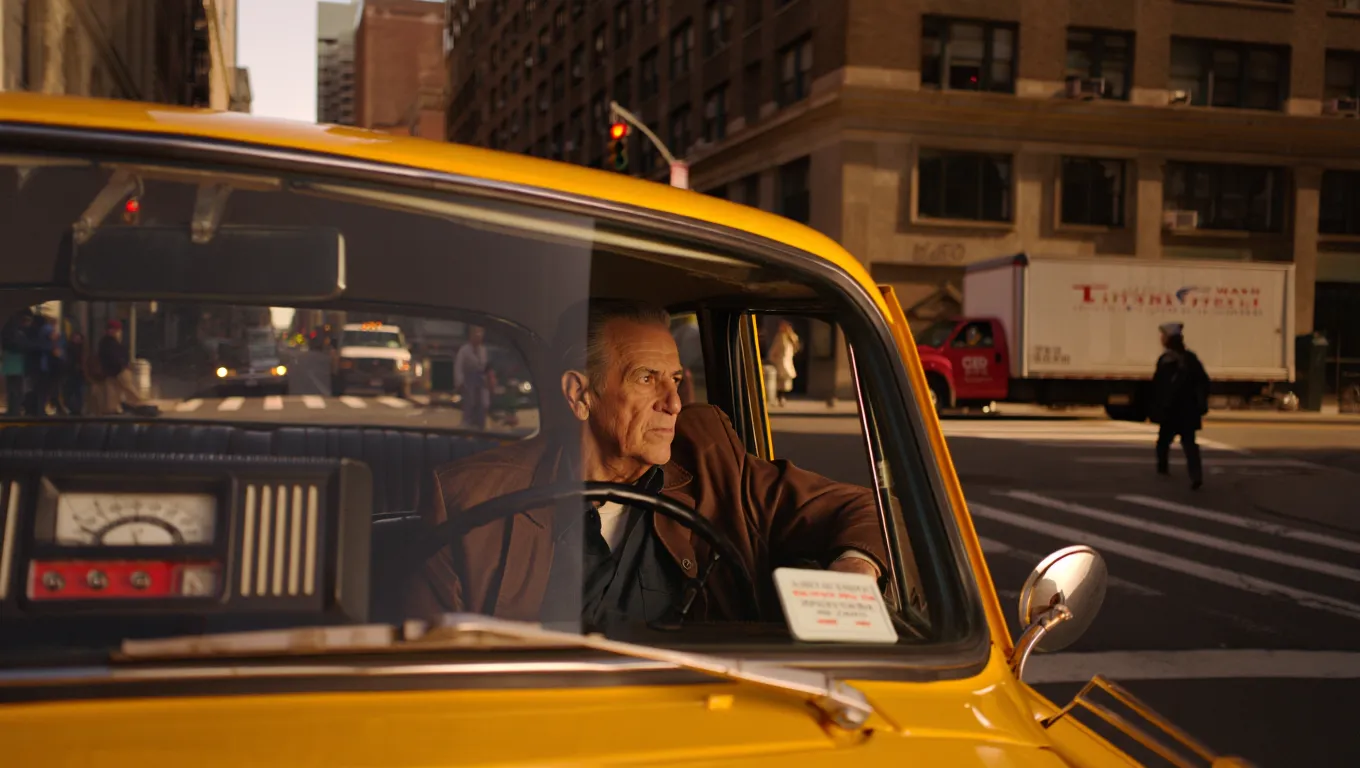
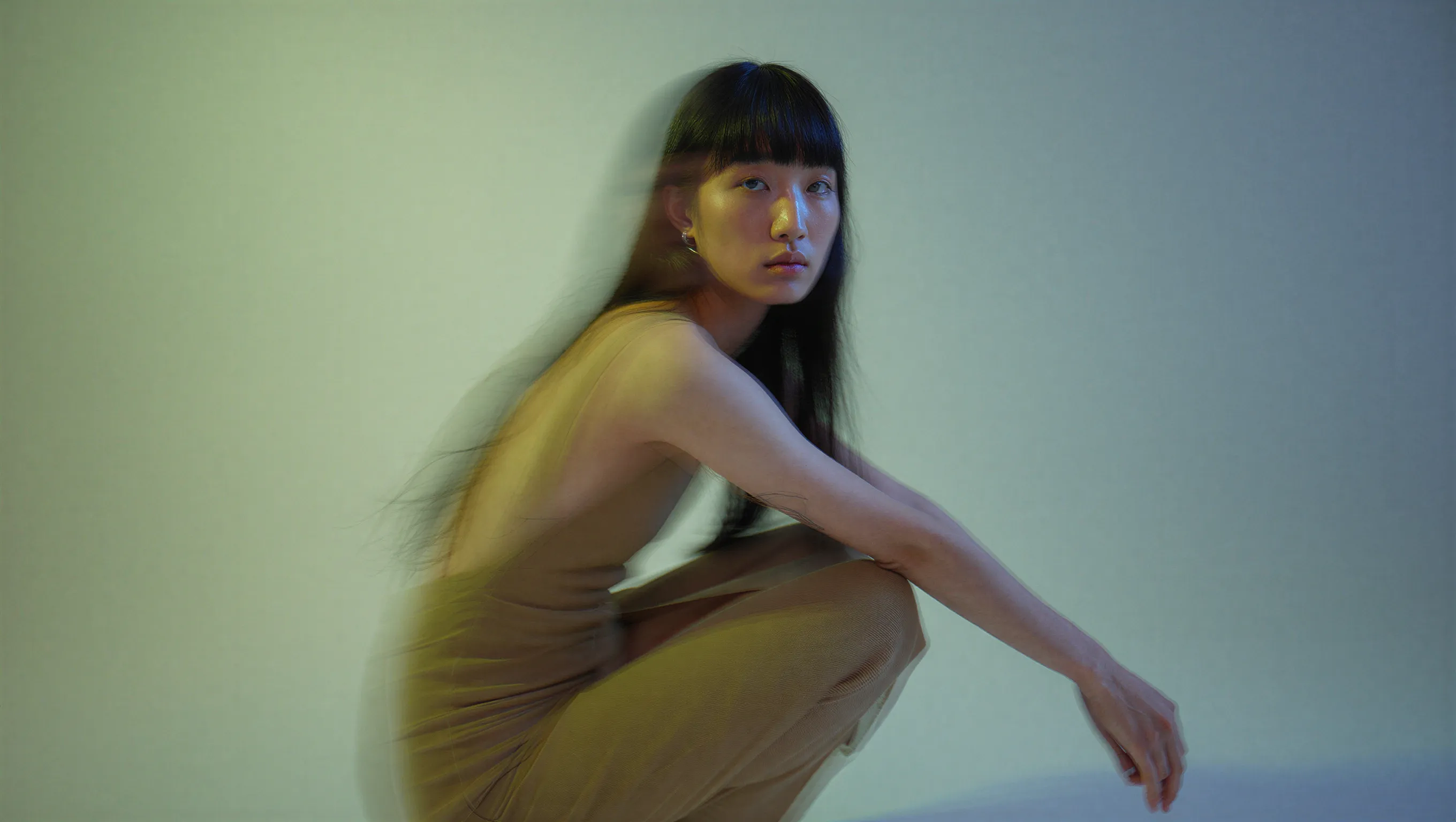
영화적 텍스트 기반 이미지 생성, 듀얼톤 조명의 패션 에디토리얼 인물 사진:
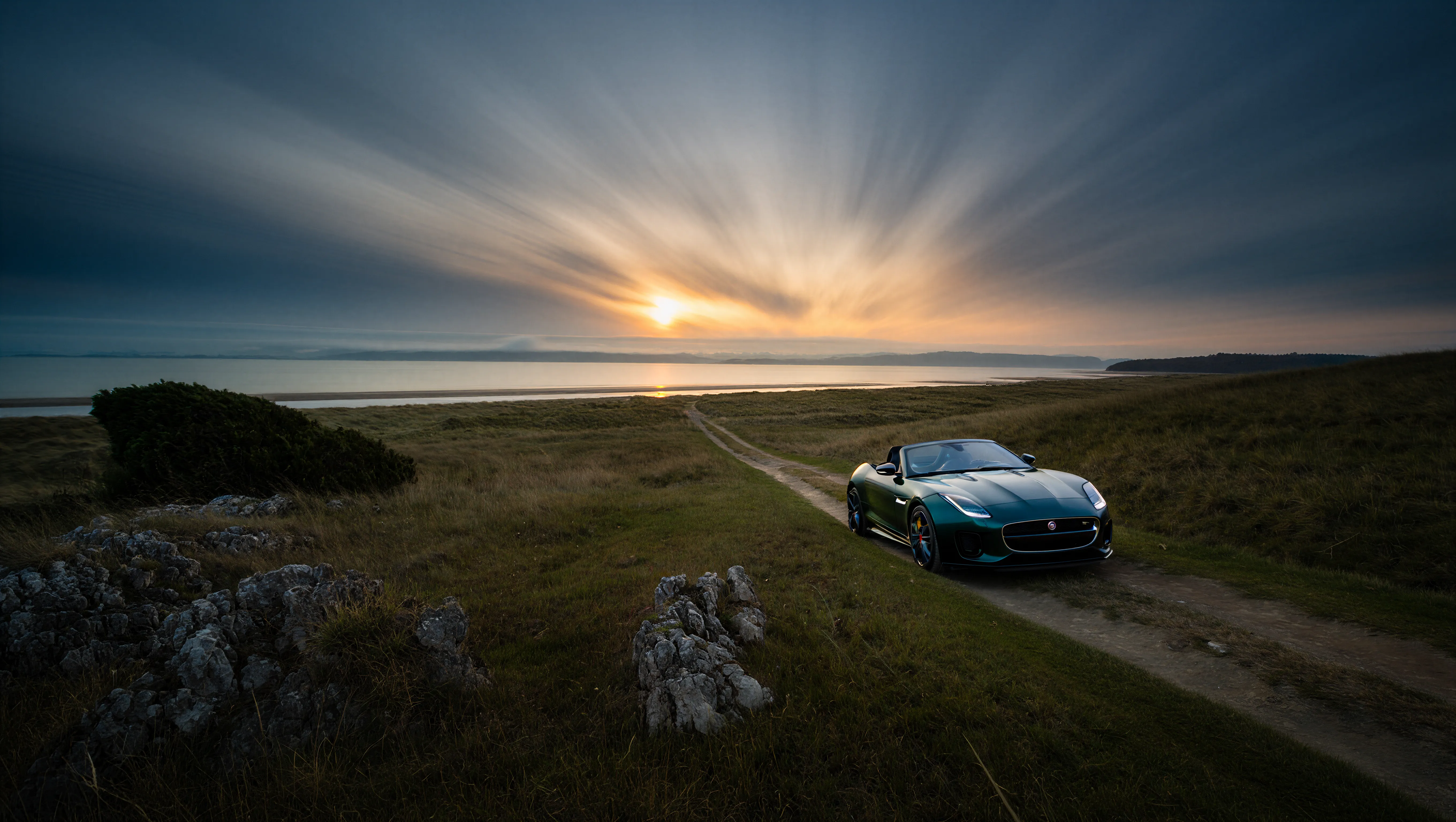
섬세한 디테일 보존이 가능한 4K 해상도 출력:
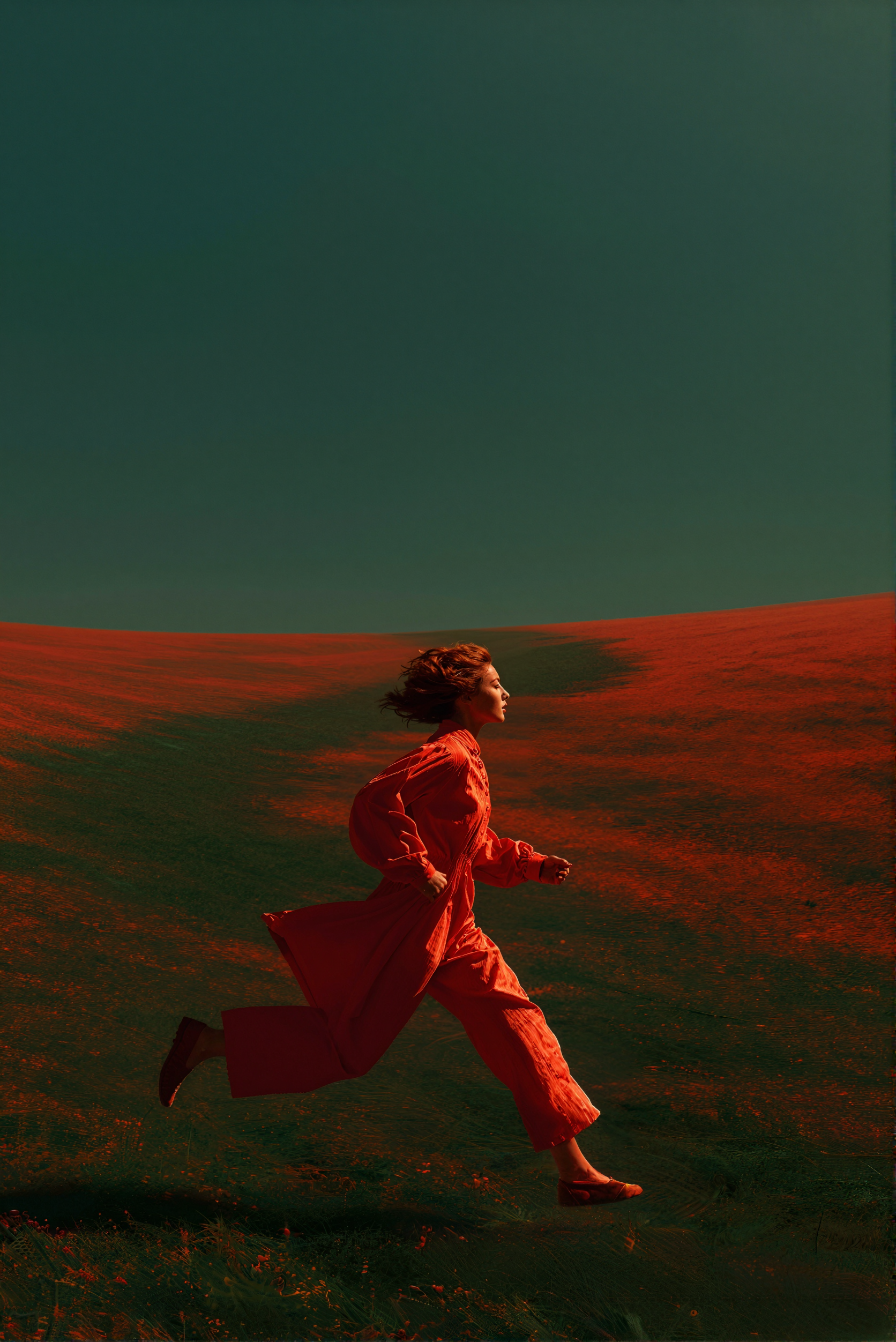
텍스트 지침을 통한 이미지 편집:
여러 참조 이미지를 하나의 출력으로 결합하는 이미지 리믹스:
Reve 서비스가 종료되었습니다. Reve 파트너 노드는 더 이상 제공되지 않으며, 아래 워크플로는 참고용으로만 보관됩니다.
파트너 노드를 사용하려면 올바르게 로그인되어 있고 허가된 네트워크 환경을 사용하고 있는지 확인해야 합니다. 파트너 노드를 사용하기 위한 구체적인 요구사항은 문서의 [파트너 노드 개요](/ko/tutorials/partner-nodes/overview) 섹션을 참조해 주세요.
ComfyUI가 최신 버전으로 업데이트되었는지 확인하세요.
* [ComfyUI 다운로드](https://www.comfy.org/download)
* [업데이트 가이드](/ko/installation/update_comfyui)
이 가이드의 워크플로는 [워크플로 템플릿](/ko/interface/features/template)에서 확인할 수 있습니다.
템플릿에서 찾을 수 없다면, 귀하의 ComfyUI가 오래된 버전일 수 있습니다.
워크플로를 로드할 때 노드가 누락되는 경우, 가능한 원인:
1. 최신 ComfyUI 버전(최신 테스트 버전(nightly))을 사용하고 있지 않음
2. 일부 노드가 시작 시 가져오기에 실패함
* [클라우드](https://cloud.comfy.org)는 ComfyUI 안정판 출시 후 업데이트됩니다.
따라서 이 문서에서 핵심 노드가 누락된 것을 발견했다면, 그 이유는 새로운 핵심 노드가 아직 최신 안정판에 공개되지 않았기 때문일 수 있습니다. 다음 안정판 출시를 기다려 주세요.
Reve: 텍스트 기반 이미지 생성
텍스트 프롬프트를 입력해 디테일한 미학과 정확한 텍스트 렌더링을 갖춘 고품질 이미지를 생성합니다.
 Comfy Cloud에서 열기
JSON 다운로드 또는 템플릿 라이브러리에서 "Reve: Text to Image" 검색
**Example output**

### 출력 예시

```
A high-fashion editorial portrait of a young East Asian model with long, straight black hair and thick bangs, crouched in a studio setting. She wears a minimalist, muted beige dress. The image features a cinematic dual-tone lighting setup, where the left side is washed in a soft greenish-yellow glow and the right side is cast in cool, muted blue-grey, creating a subtle color bleed effect. There is a slight motion blur, with the subject looking directly at the camera with a calm, neutral expression. High-end fashion magazine aesthetic, soft focus background, structured silhouette.
```
```
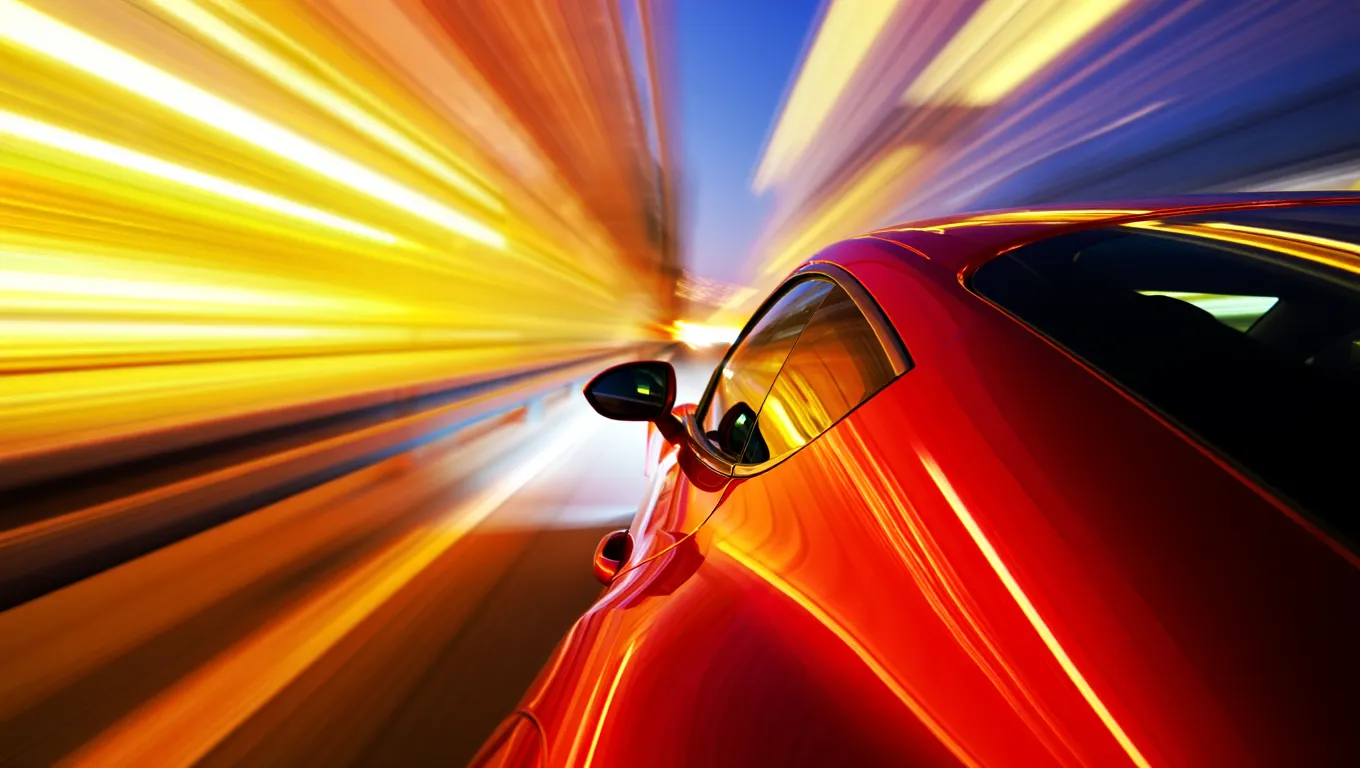
A high-speed, cinematic capture of a vibrant red sports car speeding through the night. The camera angle is positioned near the rear-three-quarter view, emphasizing the sleek, metallic curves and the car's aerodynamic design. The entire background is transformed into a dramatic radial blur of brilliant yellow, orange, and white light streaks, suggesting extreme velocity. The car's surface reflects the warm ambient lights of the city, contrasting sharply with the deep, dark blue of the night sky.
```
```
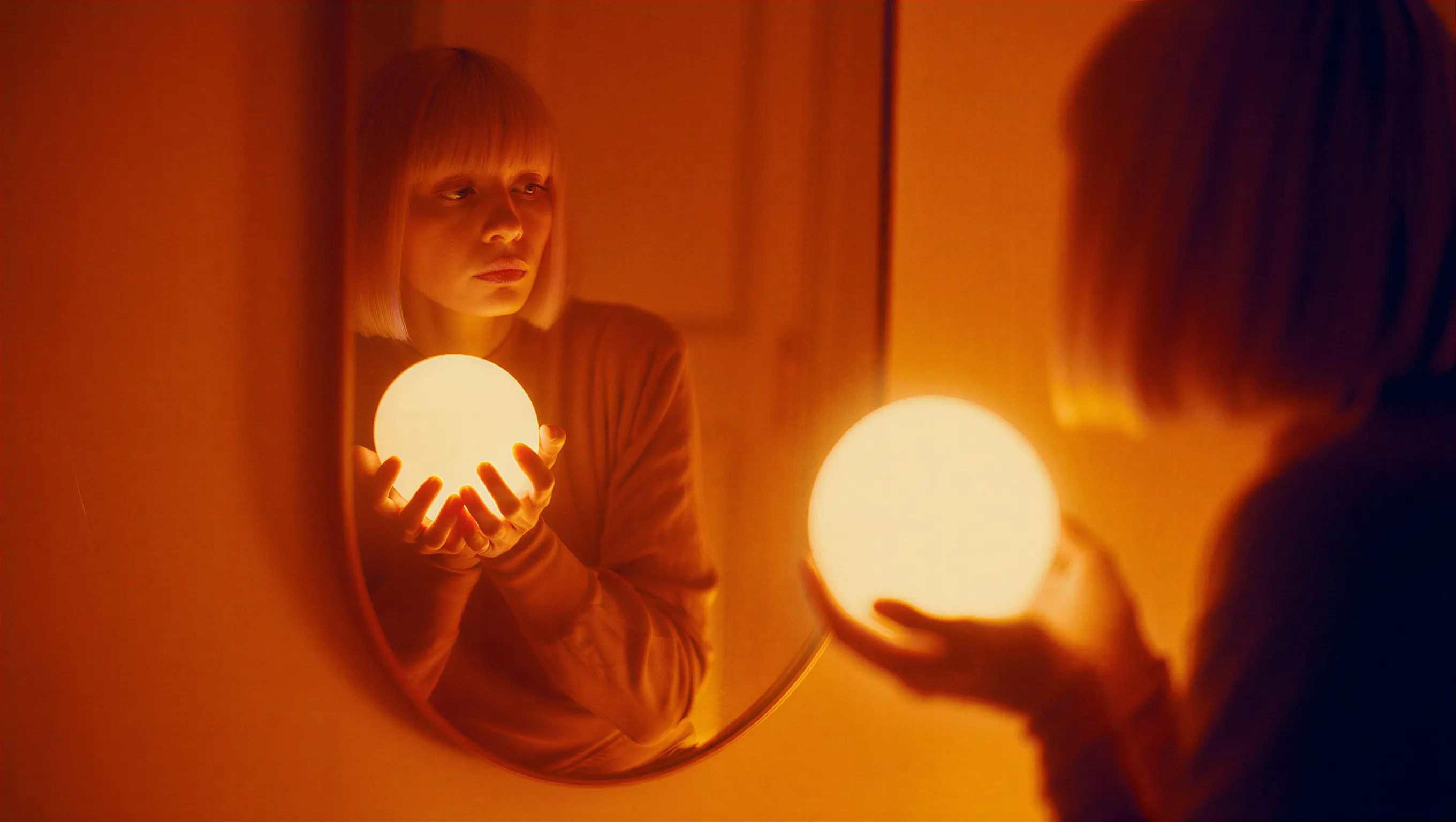
A cinematic photograph of a woman with a bob haircut looking at her reflection in a mirror, her hands gently cradling a brilliant, glowing spherical white orb. The image is saturated in deep orange and amber tones, with heavy light leaks and lens flares washing out the center of the frame as the sphere radiates subtle, ethereal light. The composition features a soft, dreamy focus with significant analog film grain, creating a nostalgic atmosphere where the reflected face in the mirror appears slightly blurred and obscured by the warmth of the light leakage.
```
```
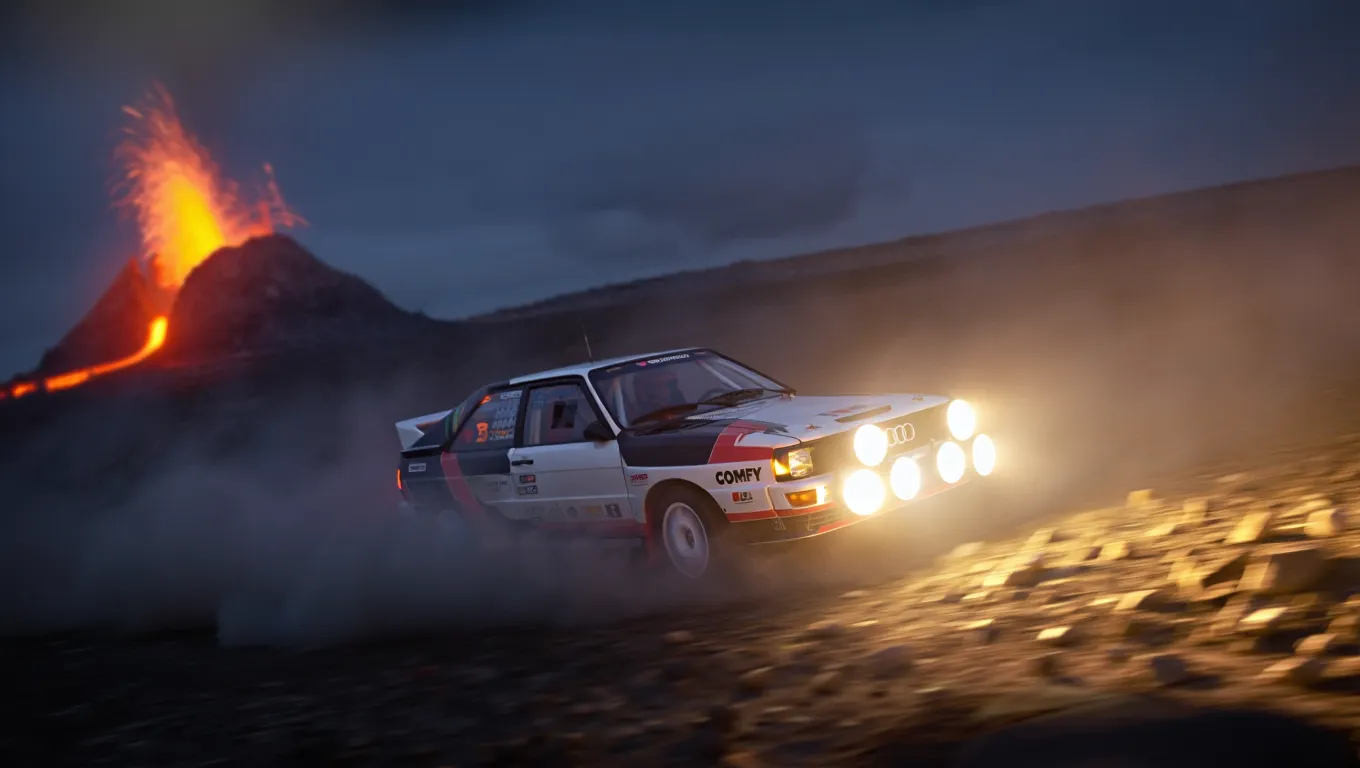
A high-action, wide-angle nighttime shot of a legendary Audi Quattro rally car drifting through a barren rocky field at the base of a volcano. The car is coated in white and black. Powerful auxiliary spotlights on the front of the car cast a bright, warm glow, catching the thick dust kicked up by the aggressive tread of the tires. In the background, out-of-focus volcano spraying lava. The scene is cold and dark, with the intense light from the lava creating dramatic contrast.
```
다음 예시는 섬세한 디테일 보존이 가능한 4K 해상도 출력을 보여줍니다:

```
A wide-angle landscape photograph of a solitary Jaguar F-Type car in British green, on a dirt trail facing a distant beach at twilight. The sky features dramatic long-exposure cloud streaks radiating from a low sun on the horizon. The foreground is dominated by jagged limestone rocks and blades of grass, leading the viewer's eye along a path that cuts through grassy hills toward the water. The lighting is cool and moody, casting deep shadows against the golden glow of the setting sun.
```
```
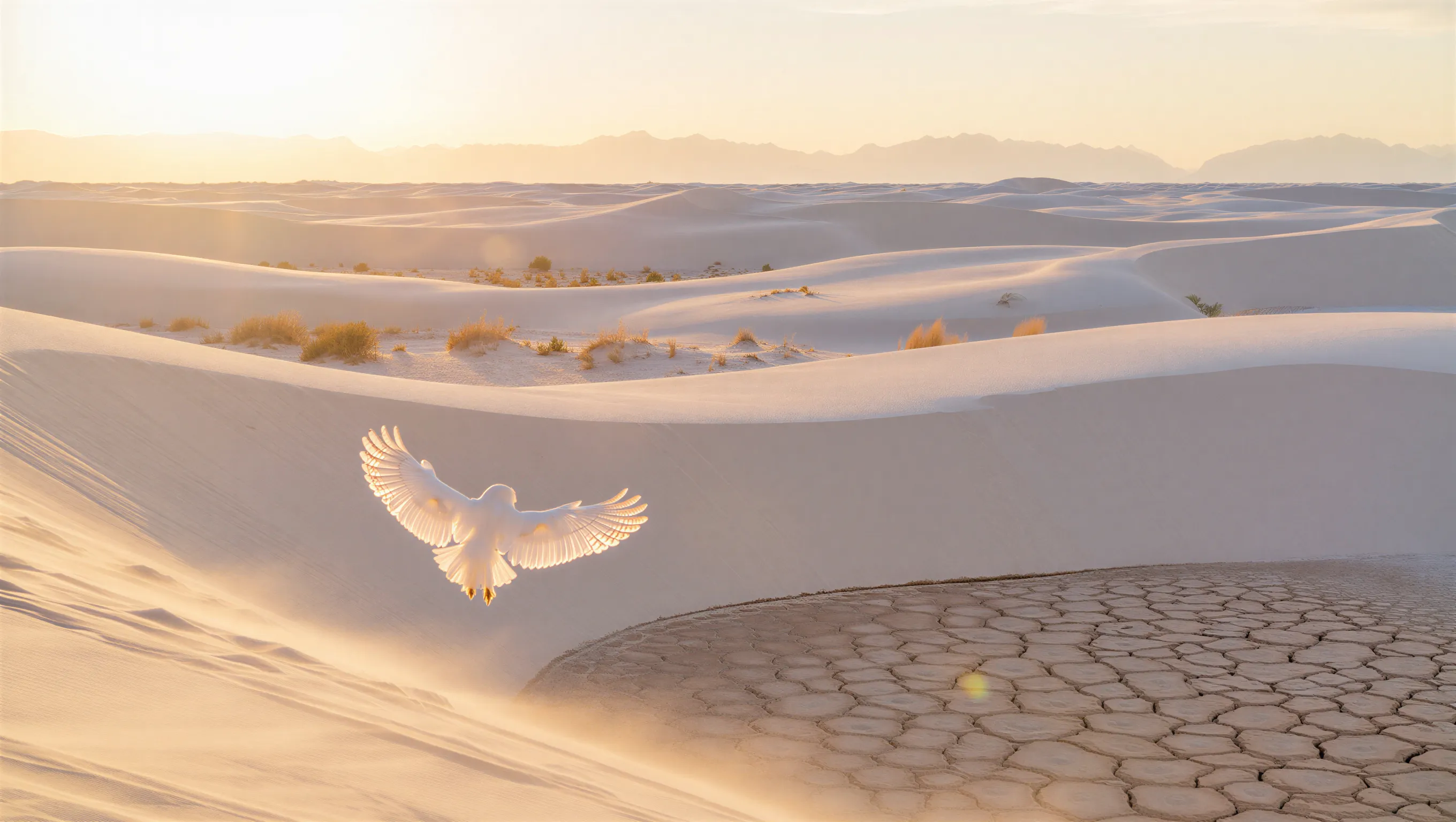
A minimalist wide shot of a vast white sand dune desert during golden hour. A white owl with its wings spread is in the foreground. Soft warm sunlight grazing the tops of the dunes, casting long shadows. Sparse, golden-brown desert shrubs are scattered across the ripples, with a prominent patch of dry, cracked, hexagonal mud in the bottom right foreground. In the far distance, a hazy, ethereal range of mountains rests against a pale, washed-out sky.
```
Comfy Cloud에서 열기
JSON 다운로드 또는 템플릿 라이브러리에서 "Reve: Text to Image" 검색
**Example output**

### 출력 예시

```
A high-fashion editorial portrait of a young East Asian model with long, straight black hair and thick bangs, crouched in a studio setting. She wears a minimalist, muted beige dress. The image features a cinematic dual-tone lighting setup, where the left side is washed in a soft greenish-yellow glow and the right side is cast in cool, muted blue-grey, creating a subtle color bleed effect. There is a slight motion blur, with the subject looking directly at the camera with a calm, neutral expression. High-end fashion magazine aesthetic, soft focus background, structured silhouette.
```

```
A high-speed, cinematic capture of a vibrant red sports car speeding through the night. The camera angle is positioned near the rear-three-quarter view, emphasizing the sleek, metallic curves and the car's aerodynamic design. The entire background is transformed into a dramatic radial blur of brilliant yellow, orange, and white light streaks, suggesting extreme velocity. The car's surface reflects the warm ambient lights of the city, contrasting sharply with the deep, dark blue of the night sky.
```

```
A cinematic photograph of a woman with a bob haircut looking at her reflection in a mirror, her hands gently cradling a brilliant, glowing spherical white orb. The image is saturated in deep orange and amber tones, with heavy light leaks and lens flares washing out the center of the frame as the sphere radiates subtle, ethereal light. The composition features a soft, dreamy focus with significant analog film grain, creating a nostalgic atmosphere where the reflected face in the mirror appears slightly blurred and obscured by the warmth of the light leakage.
```

```
A high-action, wide-angle nighttime shot of a legendary Audi Quattro rally car drifting through a barren rocky field at the base of a volcano. The car is coated in white and black. Powerful auxiliary spotlights on the front of the car cast a bright, warm glow, catching the thick dust kicked up by the aggressive tread of the tires. In the background, out-of-focus volcano spraying lava. The scene is cold and dark, with the intense light from the lava creating dramatic contrast.
```
다음 예시는 섬세한 디테일 보존이 가능한 4K 해상도 출력을 보여줍니다:

```
A wide-angle landscape photograph of a solitary Jaguar F-Type car in British green, on a dirt trail facing a distant beach at twilight. The sky features dramatic long-exposure cloud streaks radiating from a low sun on the horizon. The foreground is dominated by jagged limestone rocks and blades of grass, leading the viewer's eye along a path that cuts through grassy hills toward the water. The lighting is cool and moody, casting deep shadows against the golden glow of the setting sun.
```

```
A minimalist wide shot of a vast white sand dune desert during golden hour. A white owl with its wings spread is in the foreground. Soft warm sunlight grazing the tops of the dunes, casting long shadows. Sparse, golden-brown desert shrubs are scattered across the ripples, with a prominent patch of dry, cracked, hexagonal mud in the bottom right foreground. In the far distance, a hazy, ethereal range of mountains rests against a pale, washed-out sky.
```
Reve: 이미지 편집
이미지를 업로드하고 편집을 위한 텍스트 지침을 제공하세요. Reve의 고급 편집 모델로 수정된 출력 이미지를 생성합니다.
 Comfy Cloud에서 열기
JSON 다운로드 또는 템플릿 라이브러리에서 "Reve: Image Edit" 검색
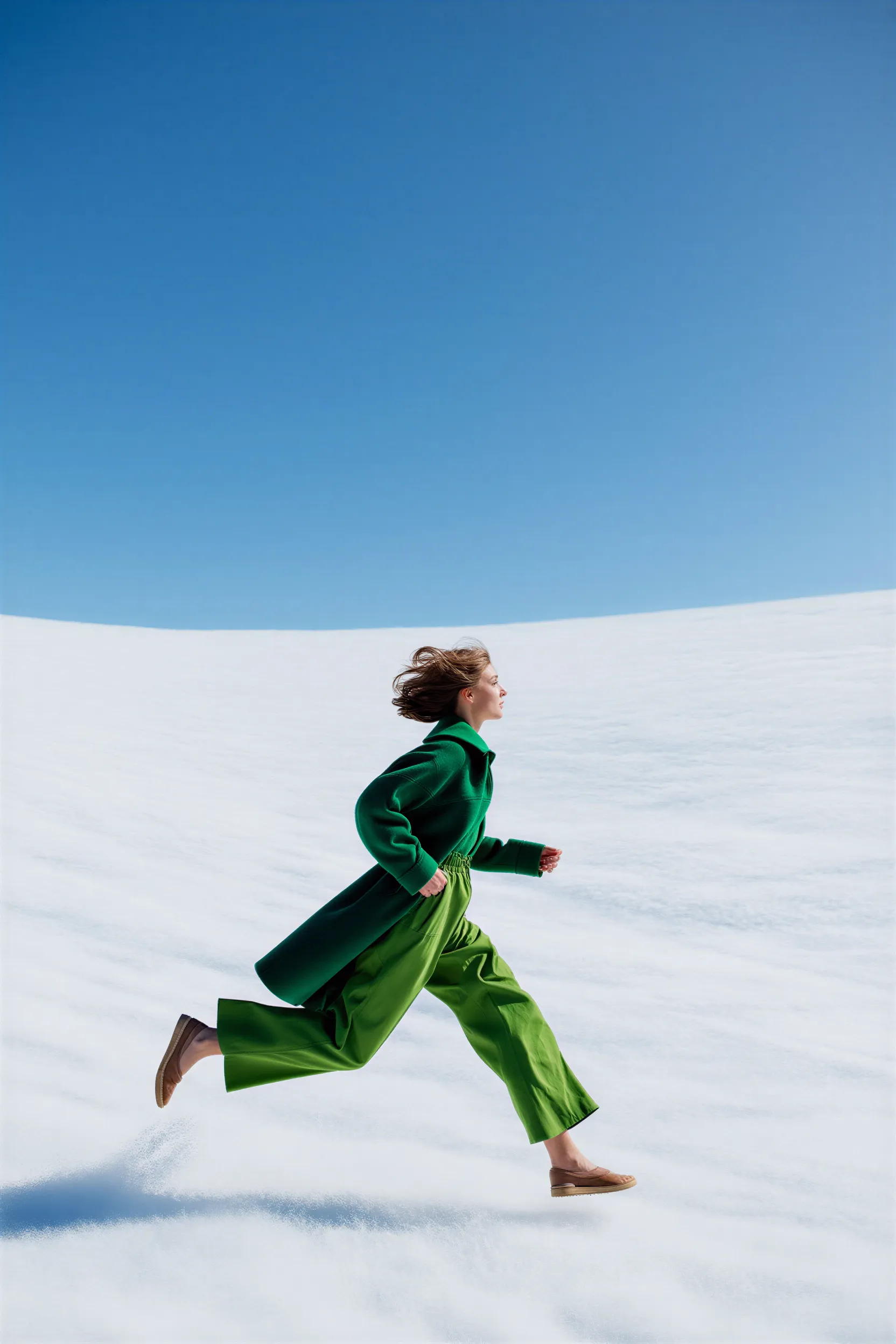
**Input materials**
Upload this file to the matching `LoadImage` node:
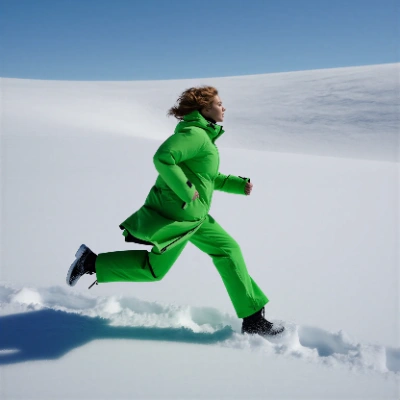
`LoadImage` node 4 · `woman_running_in_field.png`
### 출력 예시
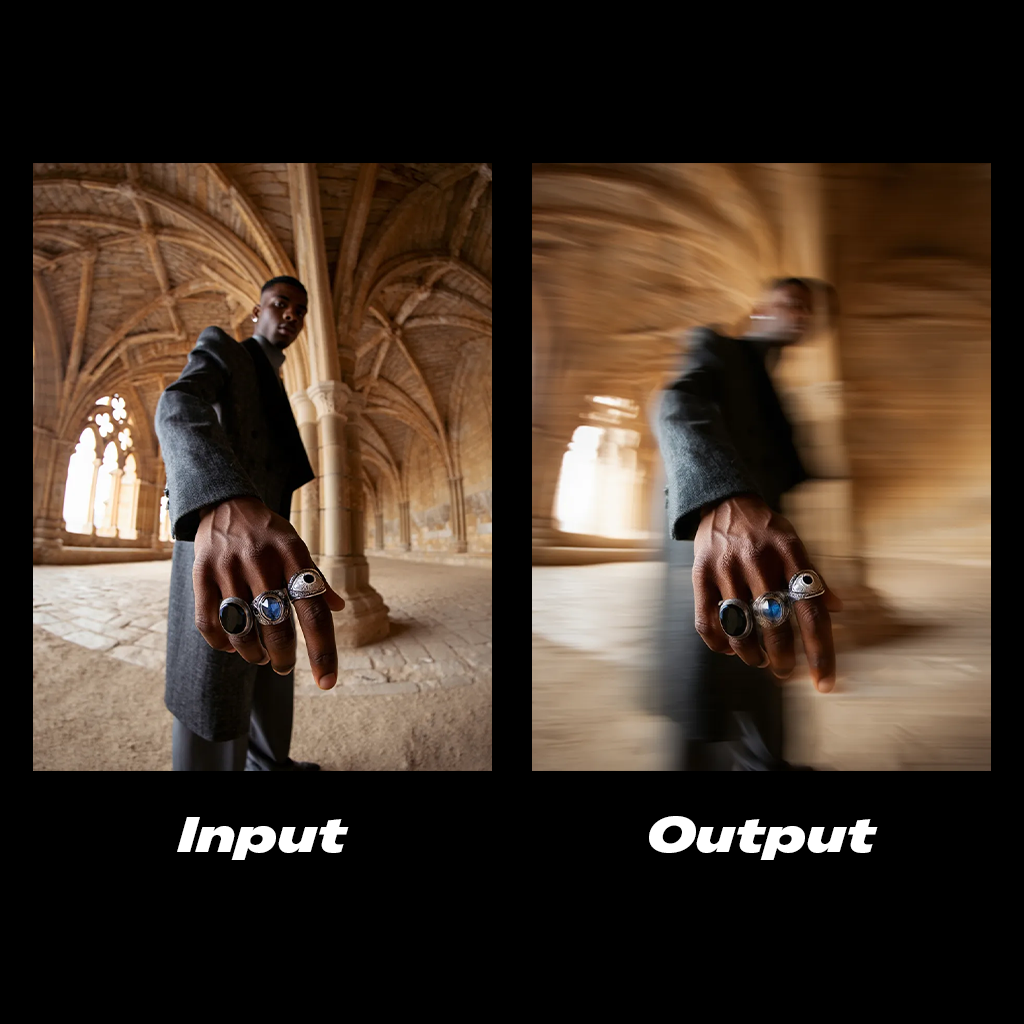
```
Add a cinematic horizontal streaks motion blur to the subject's body. The hand stays in clear focus.
```
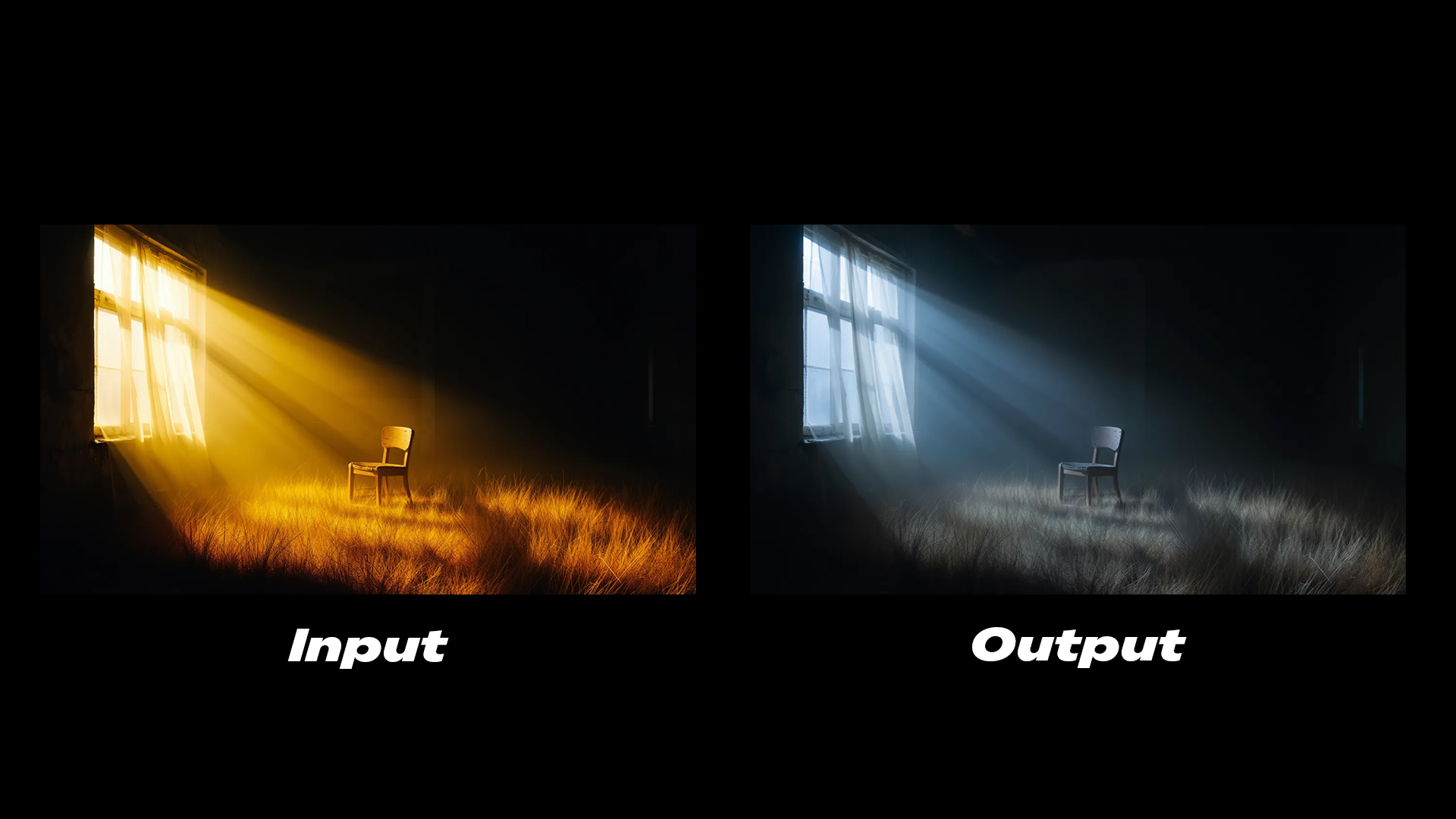
```
The lighting is cold, soft glow emits from the window.
```
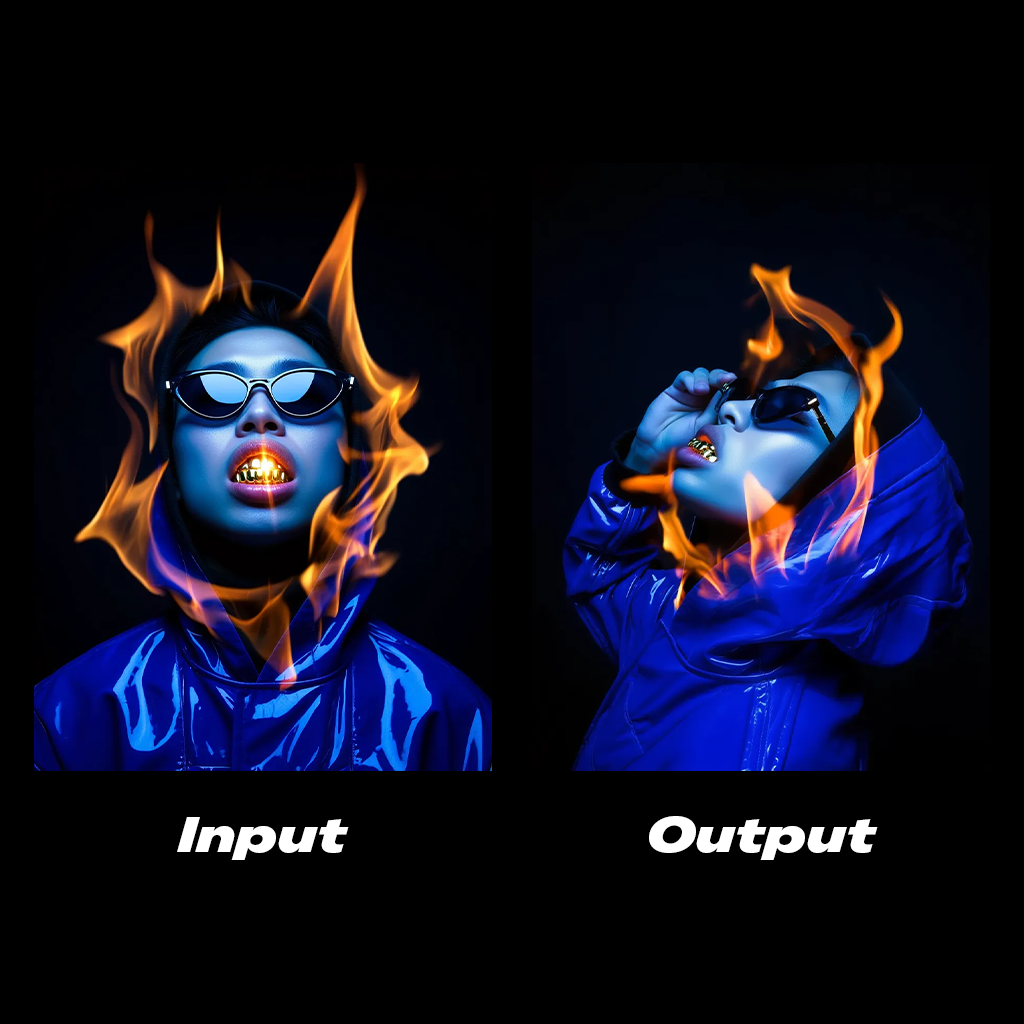
```
Side profile shot of the subject, his hand is grabbing the sunglasses.
```
Comfy Cloud에서 열기
JSON 다운로드 또는 템플릿 라이브러리에서 "Reve: Image Edit" 검색
**Input materials**
Upload this file to the matching `LoadImage` node:
`LoadImage` node 4 · `woman_running_in_field.png`
### 출력 예시

```
Add a cinematic horizontal streaks motion blur to the subject's body. The hand stays in clear focus.
```

```
The lighting is cold, soft glow emits from the window.
```

```
Side profile shot of the subject, his hand is grabbing the sunglasses.
```
Reve: 이미지 리믹스 및 편집
Reve의 고급 모델로 이미지를 리믹스하고 편집하세요. 여러 참조 이미지를 하나의 출력으로 결합합니다.
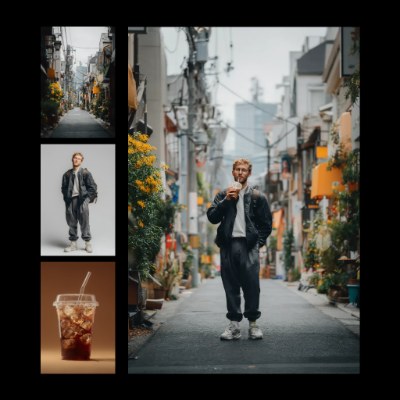 Comfy Cloud에서 열기
JSON 다운로드 또는 템플릿 라이브러리에서 "Reve: Image Remix And Edit" 검색
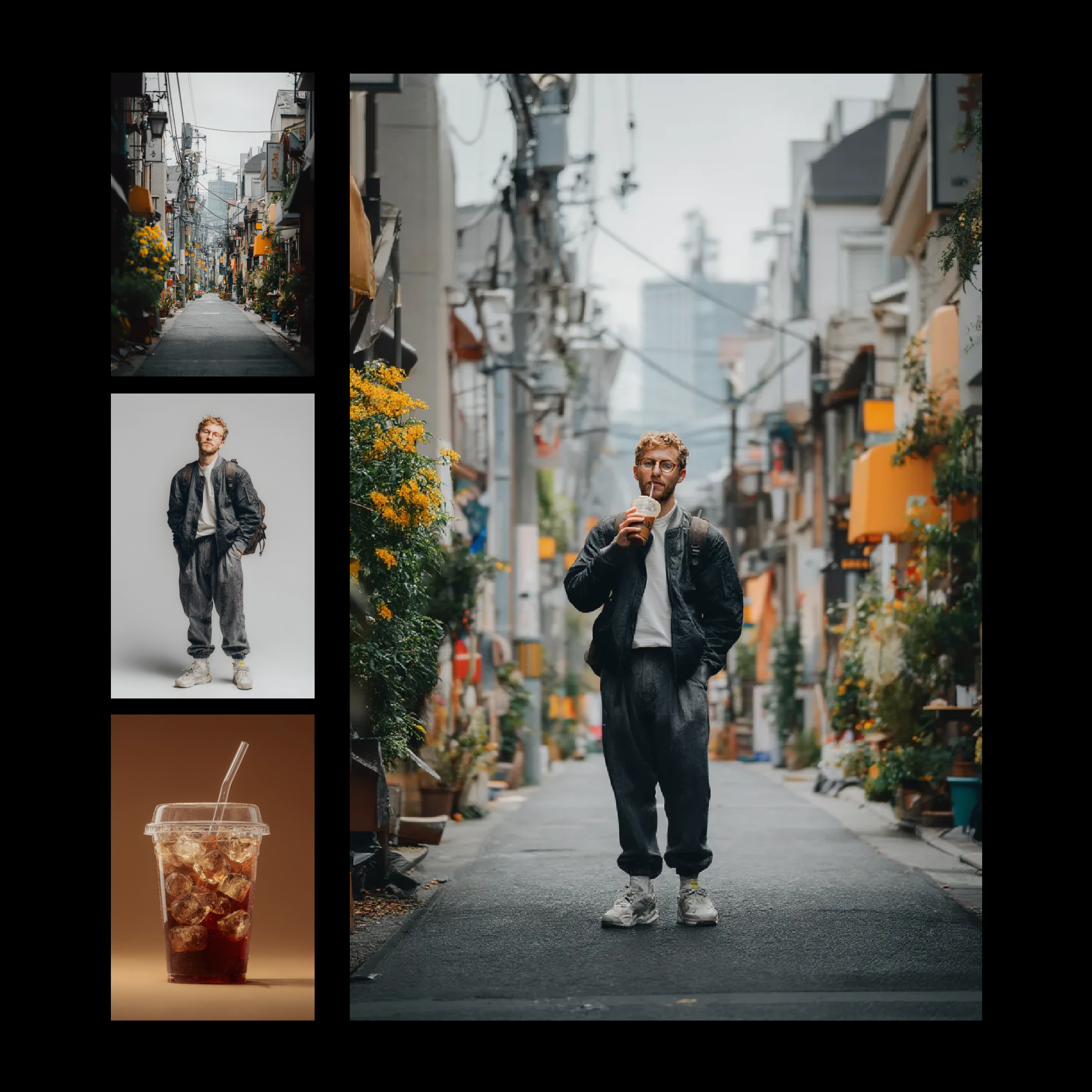
**Input materials**
Upload these files to the matching `LoadImage` nodes:
`LoadImage` node 2 · `iced_drink_cup.png`
`LoadImage` node 4 · `casual_male_portrait.png`
`LoadImage` node 5 · `japanese_street_alley.png`
**Example output**

### 출력 예시
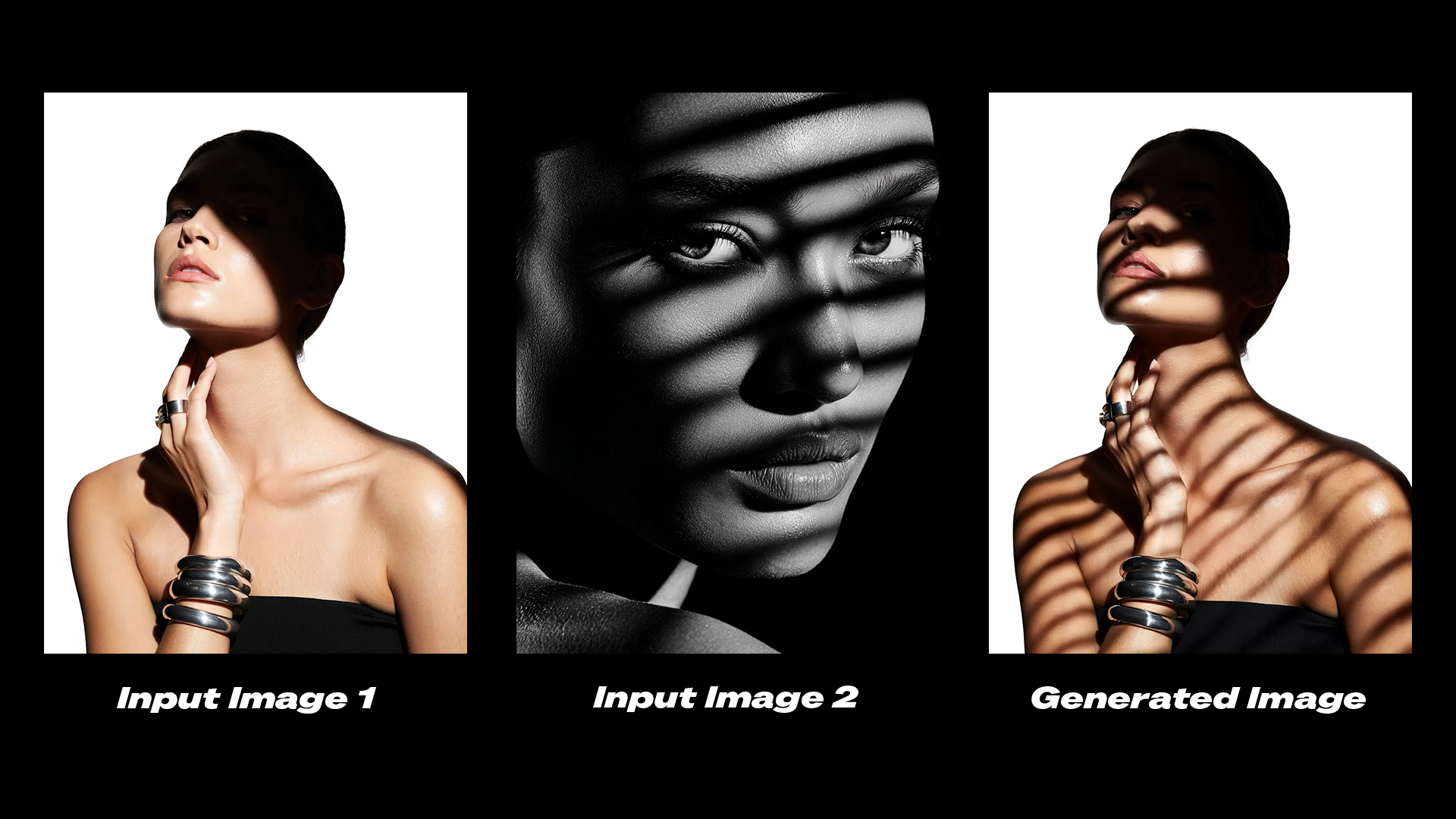
```
Edit the shadows on the subject in image 1 to match the shadows from image 2.
```
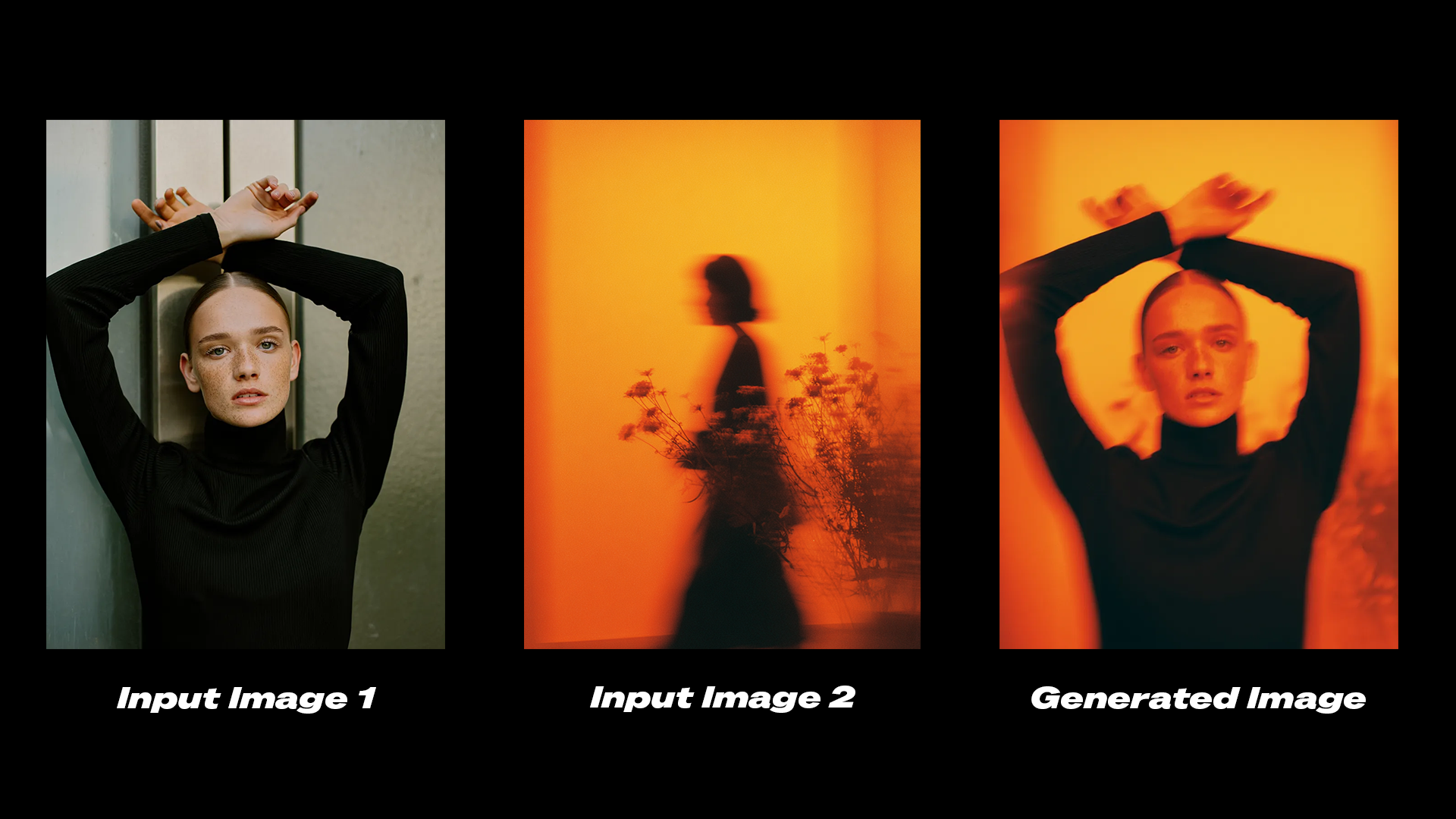
```
Transfer the color grading and aesthetic from image 2 onto image 1.
```
## 시작하기
1. **ComfyUI를 최신 버전으로 업데이트**하거나 [Comfy Cloud](https://cloud.comfy.org/?utm_source=docs)를 방문하세요.
2. **왼쪽 사이드바의 노드 라이브러리 또는 템플릿에서** Reve 이미지 생성, Reve 이미지 리믹스, Reve 이미지 편집 노드를 찾으세요.
3. **캔버스에 노드를 드롭**하여 시작하세요.
## 사용 가능한 노드
| 노드 | 유형 | 설명 |
| ---------------- | ------------- | -------------------------------- |
| **Reve 이미지 생성** | 텍스트 기반 이미지 생성 | 텍스트 프롬프트에서 최대 4K 해상도로 이미지를 생성합니다 |
| **Reve 이미지 편집** | 이미지 편집 | 기존 이미지의 조명, 색상 그레이딩, 모션을 수정합니다 |
| **Reve 이미지 리믹스** | 이미지 리믹스 | 참조 이미지의 시각적 속성을 대상 이미지로 전달합니다 |
Comfy Cloud에서 열기
JSON 다운로드 또는 템플릿 라이브러리에서 "Reve: Image Remix And Edit" 검색
**Input materials**
Upload these files to the matching `LoadImage` nodes:
`LoadImage` node 2 · `iced_drink_cup.png`
`LoadImage` node 4 · `casual_male_portrait.png`
`LoadImage` node 5 · `japanese_street_alley.png`
**Example output**

### 출력 예시

```
Edit the shadows on the subject in image 1 to match the shadows from image 2.
```

```
Transfer the color grading and aesthetic from image 2 onto image 1.
```
## 시작하기
1. **ComfyUI를 최신 버전으로 업데이트**하거나 [Comfy Cloud](https://cloud.comfy.org/?utm_source=docs)를 방문하세요.
2. **왼쪽 사이드바의 노드 라이브러리 또는 템플릿에서** Reve 이미지 생성, Reve 이미지 리믹스, Reve 이미지 편집 노드를 찾으세요.
3. **캔버스에 노드를 드롭**하여 시작하세요.
## 사용 가능한 노드
| 노드 | 유형 | 설명 |
| ---------------- | ------------- | -------------------------------- |
| **Reve 이미지 생성** | 텍스트 기반 이미지 생성 | 텍스트 프롬프트에서 최대 4K 해상도로 이미지를 생성합니다 |
| **Reve 이미지 편집** | 이미지 편집 | 기존 이미지의 조명, 색상 그레이딩, 모션을 수정합니다 |
| **Reve 이미지 리믹스** | 이미지 리믹스 | 참조 이미지의 시각적 속성을 대상 이미지로 전달합니다 |